How to duplicate a skill or behavior program--Website ONLY
Times you may want to duplicate a skill or behavior program:
Parent Training Goals
Setting up multiple data collection types for a skills & behaviors
Changing data collection types
Change the steps in a Task Analysis
IOA data
For Skills:
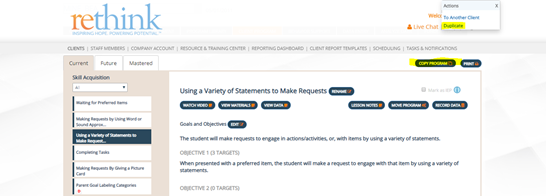
1.When you have added a program to the client program area, you will now have the option to copy the program to another client or duplicate to the same client.
2.When duplicating a program, all content of the lesson plan are copied but then all areas able to be edited and customized as a new skill goal.
- Goals/Objectives
- Targets/ Steps
- Mastery criteria
- Prompt levels
- Data collection types and settings
- Exercise
- Generalization
- Error correction
- Supplies
- Teaching strategies
- Trouble shooting
- Helpful hints
- Updates
*Data will NOT be copied from the original skill program.
3.To duplicate a program in the same client profile, follow the steps below:
- Go to the Client Program
- Click on a skill goal you need to duplicate
- Click on the copy program button and select duplicate
- Your duplicate skill program is now at the top of the list in the client program
- Recommendation: Rename your new skill and customize all areas of the lesson plan/program
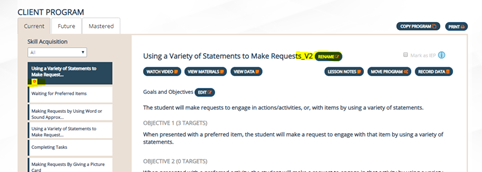
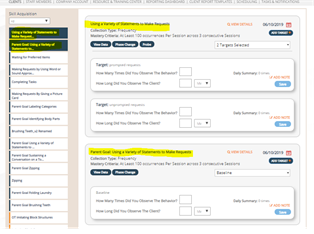
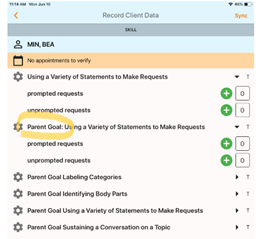
4.Once a program has been duplicated, it will be named with a V2, V3, etc. You can rename the duplicate by clicking on the rename button of the new program (e.g. Parent Goal: Using a Variety of Statements to Make Requests). The duplicate program will always have a red D below the title in the client program area.
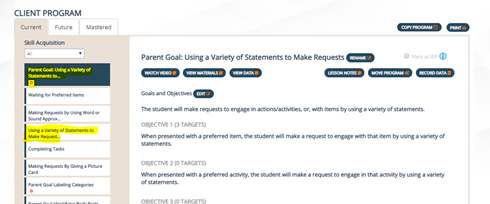
5.To remove a duplicate program from the client program, follow these steps:
- In the Client Program, click on the skill you need to remove/delete
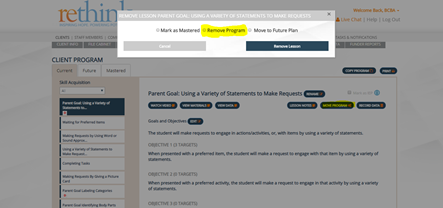
- Click on Move Program
- Click Remove Program
♦Removing the program will remove it from the client program area and data entry
♦The program is hidden in the program library to avoid confusion with other similar programs or duplicates.
♦If the program needs to be recovered, this can be done by contacting our support team at: support@rethinkbh.com
For Behaviors:
1.When you have added a behavior goal to behavior support, you will now have the option to copy or duplicate the goal to the same client.
2.When duplicating a program, all content of the behavior plan are copied (steps 1-6) and are able to be edited and customized as a new behavior.
*Data will NOT be copied from the original behavior program.
3. To duplicate a behavior goal in the same client profile, follow the steps below:
- Go to behavior support
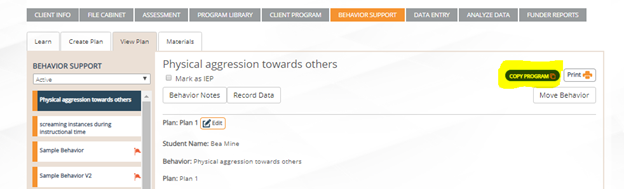
- Go to view plan
- Select a behavior that you need to duplicate
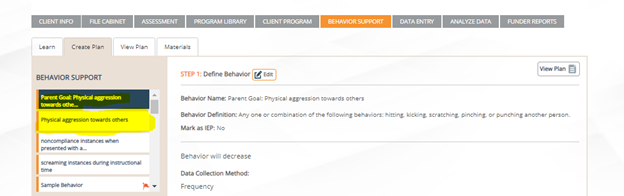
- Click on Copy Program (this takes you back to create plan automatically to customize your new/duplicate behavior program)
- All steps 1-6 are now editable for your duplicate program
- Recommendation: Rename your new behavior and customize all steps
4.To remove a duplicate behavior program:
If you’ve added a duplicate and you need to remove/delete it from behavior support, follow these steps:
- Go to view plan
- Select the behavior that you need to remove
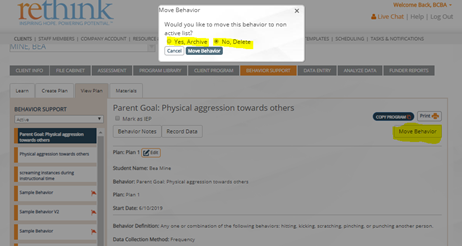
- Click on “Move Behavior”
- Click on "Yes, Archive" or "No, Delete"
- To remove a program, there are two options, delete or archive. Deleting a behavior program, removes the program permanently and archiving saves it as an inactive behavior.
- Click on “Move Behavior”
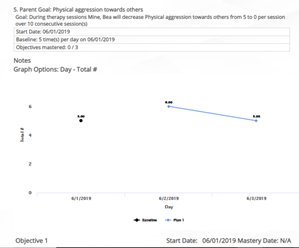
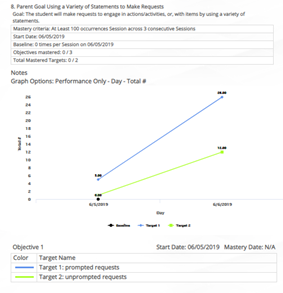
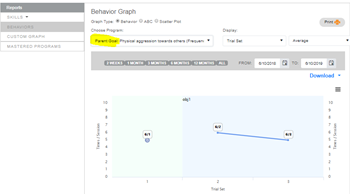
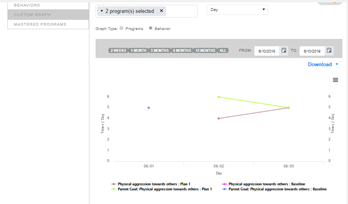
5.After editing and customizing the duplicate skill or behavior program, the new program/goal will be accessible for data entry, analyze data and in the funder reporting area. See images of duplicate programs in those areas below:
View Data/App:
Analyze Data:
Funder Reports: